














































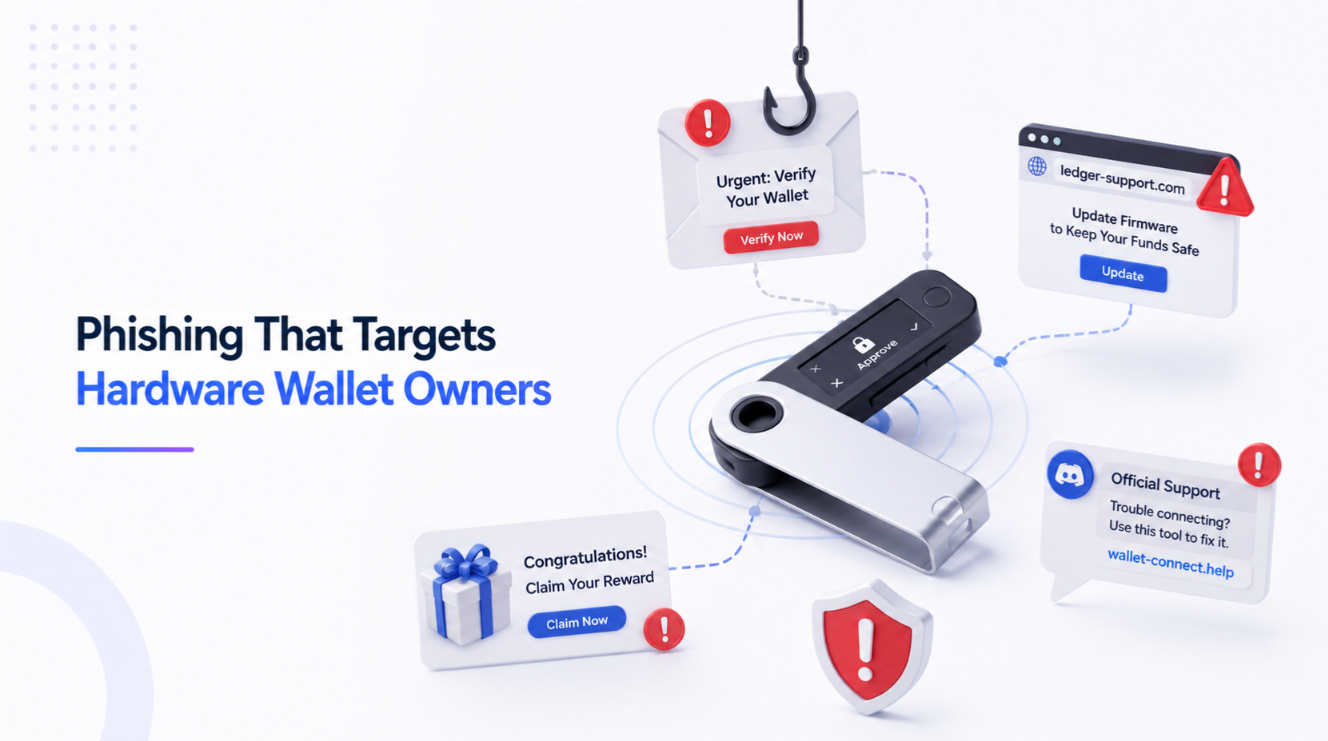
Hardware wallet owners are targeted by phishing that uses leaked customer data to appear legitimate: emails about a fake breach or firmware update, physical letters with QR codes, replacement devices sent by post, and fake support agents on social platforms. Every variant ends with a request for the recovery phrase, entered into a website or app. No vendor ever needs it. A genuine device never asks you to type the seed anywhere but into the device itself.
- 1Variant one: the security notice email. An email announcing a breach, a vulnerability, or a mandatory firmware update, with a link to a page that looks exactly like the vendor's.
- 2Variant two: the letter in the post. A physical letter on vendor letterhead, sometimes with a printed QR code, informing you that your device must be updated or that your seed must be…
- 3Variant three: the replacement device. A hardware wallet arrives that you did not order, in convincing packaging, with a letter explaining that your previous device was affected by a…
- 4Variant four: fake support. You post a question in a community forum, a Discord, or under a vendor's social media post.
On this page8 sections
In 2020, a Ledger e-commerce database was exposed, putting roughly a million email addresses and around 270,000 customer records including names, postal addresses and phone numbers into circulation. Those records identified people who had bought a device to protect crypto and stated where they lived.
The campaigns built on that data have run continuously ever since, and they are far better targeted than generic phishing. They use your real name, they reference a real purchase, and they arrive by channels that feel authentic.
Variant one: the security notice email
An email announcing a breach, a vulnerability, or a mandatory firmware update, with a link to a page that looks exactly like the vendor's. The page asks you to verify or restore your wallet by entering the recovery phrase.
The framing is designed to invert your caution: you believe you are responding to a security incident, so urgency feels appropriate rather than suspicious. Some versions distribute a fake desktop application instead of a web form, which is more convincing and does the same thing.
Variant two: the letter in the post
A physical letter on vendor letterhead, sometimes with a printed QR code, informing you that your device must be updated or that your seed must be re-registered for a security programme. It works because postal mail carries an assumption of legitimacy that email lost years ago, and because the sender genuinely knows your name and address.
Variant three: the replacement device
A hardware wallet arrives that you did not order, in convincing packaging, with a letter explaining that your previous device was affected by a security issue and this is a free replacement. The enclosed instructions tell you to set it up by entering your existing recovery phrase.
The device is tampered with or the instructions route your seed to the attacker. Real vendors do not send unsolicited replacements; if one arrives, it is an attack, and the correct action is to not power it on. This is one facet of the broader supply-chain question covered in buying a hardware wallet safely.
Variant four: fake support
You post a question in a community forum, a Discord, or under a vendor's social media post. Within minutes someone with a plausible profile messages you privately offering help, and the troubleshooting eventually requires your recovery phrase or directs you to a validation site.
Real support never initiates a private message, and never asks for the seed. Any unsolicited direct message about a wallet problem is an attack, without exception.
Variant five: the phone call
Because the leak included phone numbers, voice phishing followed. A caller identifies themselves as vendor security, references details only a customer would know, and walks you through a compromise. The details they know come from the breach, not from an account they can see.
The one rule
The recovery phrase is entered into the hardware wallet itself, using its own buttons or screen, and nowhere else. Not a website. Not a desktop app. Not a support form. Not a spreadsheet. There is no legitimate scenario in which a vendor, an exchange, a wallet application or a support agent needs it.
That rule alone defeats every variant above, which is why every version of the attack has to work around it with urgency, authority or fear.
Secondary defences
Use a dedicated email address for hardware wallet purchases, so anything arriving elsewhere is immediately suspect. Ship to a pickup point rather than a home address where the option exists, which limits what a future breach reveals. Navigate to vendor sites by bookmark only, never from an email or a search result. Verify firmware through the vendor's own application, which checks signatures, rather than through any link.
And consider a BIP39 passphrase: even a seed obtained by an attacker opens the wrong wallet without it. That is the strongest technical mitigation against a compromised backup, with its own serious failure mode if the passphrase is lost.
If you already entered it
Treat the wallet as fully compromised and act immediately, following the sequence in the first hour: move assets to a wallet generated from a new seed on a clean device, before doing anything else. A leaked seed cannot be revoked, repaired or protected — only abandoned.
For choosing what to move to, the hardware wallet ratings cover the vendors' security models, and it is worth noting that no device on any list protects against a seed its owner typed into a web page.
Next step
Understood the mechanics? Keep going, or compare the services.
FAQ
Why do hardware wallet owners get targeted phishing?
Would a wallet vendor ever ask for my recovery phrase?
I received a hardware wallet I did not order. What should I do?
How do I verify a firmware update is genuine?
Related guides
All guides →- How to Set Up a Hardware Wallet Step by StepMoving funds off an exchange and into cold storage for the first time is simpler than it looks — provided you follow the sequence in the right order and don't skip the verification steps.Beginner9 min
- Wallet Drainers: How the Signature That Empties You WorksNothing is hacked. You approve a transaction whose real meaning is hidden behind a wallet prompt that says almost nothing.Beginner9 min
- What Is a Crypto Wallet? Hot vs. Cold Storage ExplainedA plain-language breakdown of how crypto wallets actually work, and why the choice between hot and cold storage is the first real security decision every holder makes.Beginner9 min
- How to Store Your Seed Phrase Safely (Without Losing It)A practical, low-tech guide to backing up a crypto recovery phrase so it survives theft, fire, and your own future forgetfulness.Beginner10 min