How to Use a Blockchain Explorer to Track Any Transaction
A blockchain explorer turns an impenetrable string of numbers into a readable record of who sent what, when, and whether it actually confirmed.
Dario FennDeFi & Markets Lead · DeFi protocols, yield, market structure and on-chain dataUpdated 20 May 2026
The short answer
A blockchain explorer turns raw ledger data into a readable record: search a transaction hash to see whether it confirmed, an address to see its balance and history, or a contract to see its verified source, holder distribution and whether it can mint or restrict transfers. It is the fastest way to check a claim yourself rather than take someone's word for it.
Every transaction on a public blockchain is, technically, visible to anyone in the world. In practice, almost nobody looks at raw blockchain data directly, because it's a wall of hexadecimal characters with no labels. A blockchain explorer is the tool that translates that raw data into something readable — a search engine for the ledger. Learning to use one is the first genuinely hands-on skill in crypto, and it takes about ten minutes to get comfortable with.
The most widely used explorer for Ethereum and its ecosystem is Etherscan. Bitcoin has several, including Blockchain.com's explorer and Mempool.space. Most other major chains have their own equivalent — Solscan for Solana, BscScan for BNB Chain, Arbiscan for Arbitrum. They all work on the same underlying logic even though the interfaces differ slightly, so once you understand one, the rest follow quickly.
What a blockchain explorer actually shows you
Open Etherscan and you'll land on a dashboard showing the latest blocks and transactions scrolling past in real time — this is the network processing activity from everyone using it simultaneously, not just you. The search bar at the top accepts three main types of input: a wallet address, a transaction hash, and a token or contract address. Understanding what each of these returns is the whole skill.
A wallet address is the public identifier for a specific account — something like 0x71C7656EC7ab88b098defB751B7401B5f6d8976 on Ethereum. Search one and you'll see its current balance, a full history of every transaction it's ever sent or received, and any tokens it currently holds. This is public by design; addresses aren't inherently tied to a real-world identity, but every action tied to that address is permanently visible to anyone who looks.
A transaction hash — often shortened to txn hash or txid — is a unique fingerprint generated for every single transaction, letting you look up one specific transfer rather than an entire account's history.
Verifying a transaction step by step
Say you've sent crypto to someone, or received it, and you want to confirm it actually went through. Start with the transaction hash, which your wallet app will show you immediately after you submit a transaction — most wallets, including MetaMask and Trust Wallet, include a direct link to the correct explorer page for that transaction. Paste that hash into the explorer's search bar.
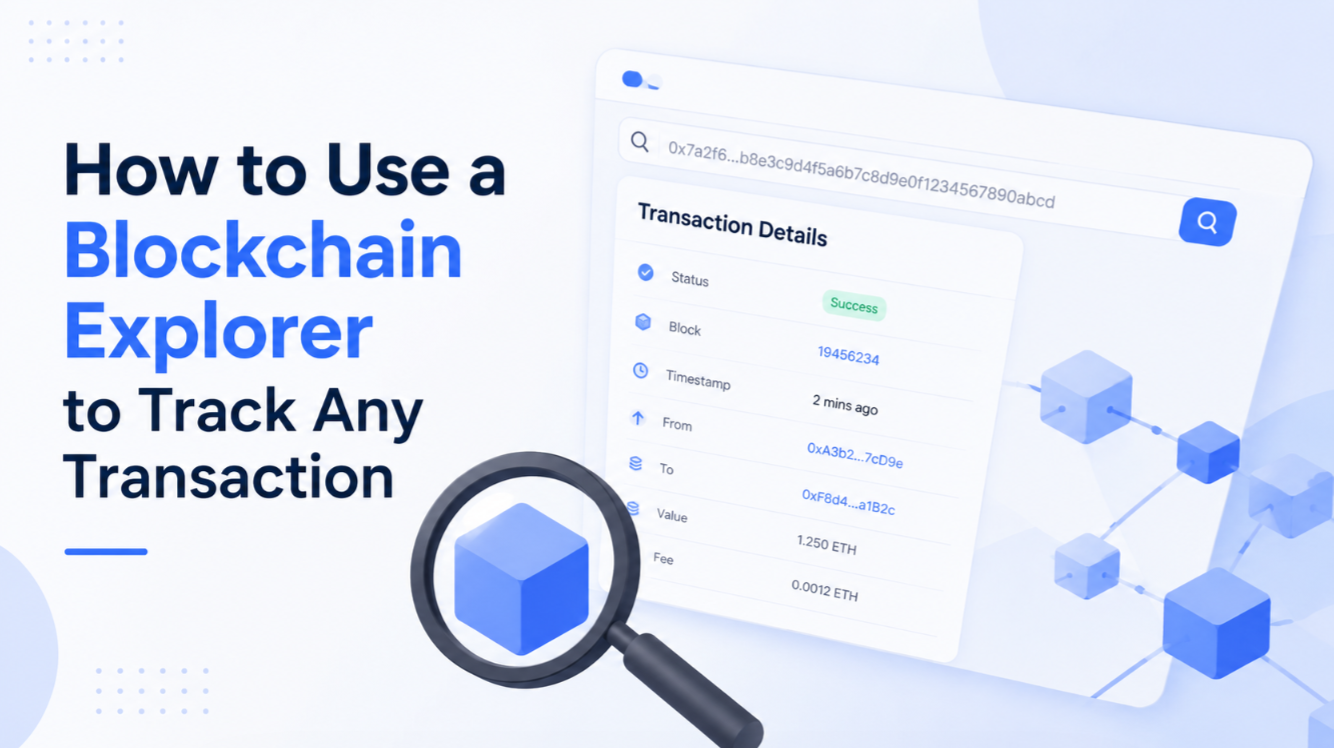
The resulting page shows a status field first, and this is the single most important thing to check: it will read either Success, Pending, or Failed. Success means the transaction was included in a block and the network has finalised it. Pending means it's still sitting in the mempool waiting to be picked up by a validator or miner — this can take anywhere from a few seconds to, during heavy congestion, over an hour. Failed means the transaction was attempted but reverted, usually because of insufficient gas, a slippage limit being exceeded, or a smart contract rejecting the call; importantly, a failed transaction can still cost gas even though it didn't accomplish anything, which is a common source of confusion for beginners.
Below the status, you'll find the sender address (From), recipient address (To), the exact amount transferred, the timestamp, the transaction fee paid, and the block number it was included in. Cross-check every one of these against what you expected — the amount, and especially the recipient address, since a single mistyped or maliciously altered character in an address sends funds somewhere unrecoverable.
Reading confirmations correctly
Near the status field you'll usually see a confirmations count — the number of blocks that have been added on top of the block containing your transaction. This matters because blockchain finality is probabilistic in most networks: the more confirmations stacked on top, the more computationally expensive it would be to reverse that transaction, and the safer it is to treat as permanent. Exchanges typically wait for a set number of confirmations before crediting a deposit — commonly 12 to 30 on Ethereum, and often much higher for Bitcoin — specifically to guard against the rare event of a chain reorganisation undoing recent blocks.
One confirmation is usually fine for checking that a personal transfer went through. If you're depositing a large sum to an exchange or a smart contract you don't fully trust, waiting for the number of confirmations that platform requires is the more cautious approach, even if your wallet already shows the transaction as complete.
Checking token contracts before you trust them
Beyond individual transactions, explorers are essential for verifying that a token is what it claims to be. Search a token's contract address and the page will show its total supply, the number of holders, and — critically — whether the contract's source code has been verified. A verified contract means the code deployed on-chain matches human-readable source code that anyone can read line by line, rather than an opaque compiled blob. Unverified contracts aren't automatically malicious, but they remove your ability to check for the kind of red flags discussed in scam-prevention guides, like functions that let the creator mint unlimited new tokens or block specific wallets from selling.
The holders tab on a token's page is also a quick sanity check on distribution. If the top handful of wallets — excluding known liquidity pool or exchange addresses, which the explorer usually labels — control the overwhelming majority of supply, that's a concentration risk worth factoring into any decision to buy in, since those wallets could move the market sharply on their own.
Reading smart contract interactions
For transactions that involve calling a smart contract — a swap on a decentralised exchange, for instance, rather than a simple transfer — the explorer will show an Input Data field alongside a decoded version if the contract is verified. This tells you what function was actually called: a swap function, an approval, a stake, and so on. It's worth glancing at this field even for routine DeFi activity, because it's the clearest way to confirm a transaction did what the interface told you it would do, rather than taking the front-end's word for it.
A few habits worth building
Bookmark the correct explorer for each network you use regularly, and be wary of unofficial or ad-heavy explorer clones that occasionally surface in search results — stick to the well-established ones. When double-checking an address before sending funds, compare at least the first six and last four characters exactly rather than eyeballing the whole string, since that's usually enough to catch a swapped or malicious address without needing to read all 42 characters. And if a transaction sits pending for far longer than usual, check the current gas price on the network before assuming something's broken — a transaction submitted with too low a fee during a busy period can sit stuck for hours until you either wait it out or, if your wallet supports it, speed it up by resubmitting with a higher fee.
None of this requires special access or a paid account. Every major explorer is free, and the entire point of a public blockchain is that this information is available to you without asking anyone's permission. Once reading one becomes routine, it stops feeling like a technical skill and starts feeling like what it actually is — checking your receipt.
FAQ
What is a blockchain explorer?+
A search interface for a blockchain. It turns a transaction hash or address into a readable record of what moved, when, and whether it confirmed.
How do I check if my transaction went through?+
Search the transaction hash. A pending status means it has been broadcast but not yet included; confirmations count the blocks added since inclusion.
How many confirmations are enough?+
It depends on the chain and the amount. Small transfers are safe within a few blocks, while large ones warrant waiting for the finality the network defines.
Can I check a token contract on an explorer?+
Yes, and you should. The explorer shows verified source, deployment date, holder distribution and whether the contract can mint or restrict transfers.
 Dario FennDeFi & Markets Lead · DeFi protocols, yield, market structure and on-chain data